 Bottled Note
Read and write
Your PDF, right beside your notes.
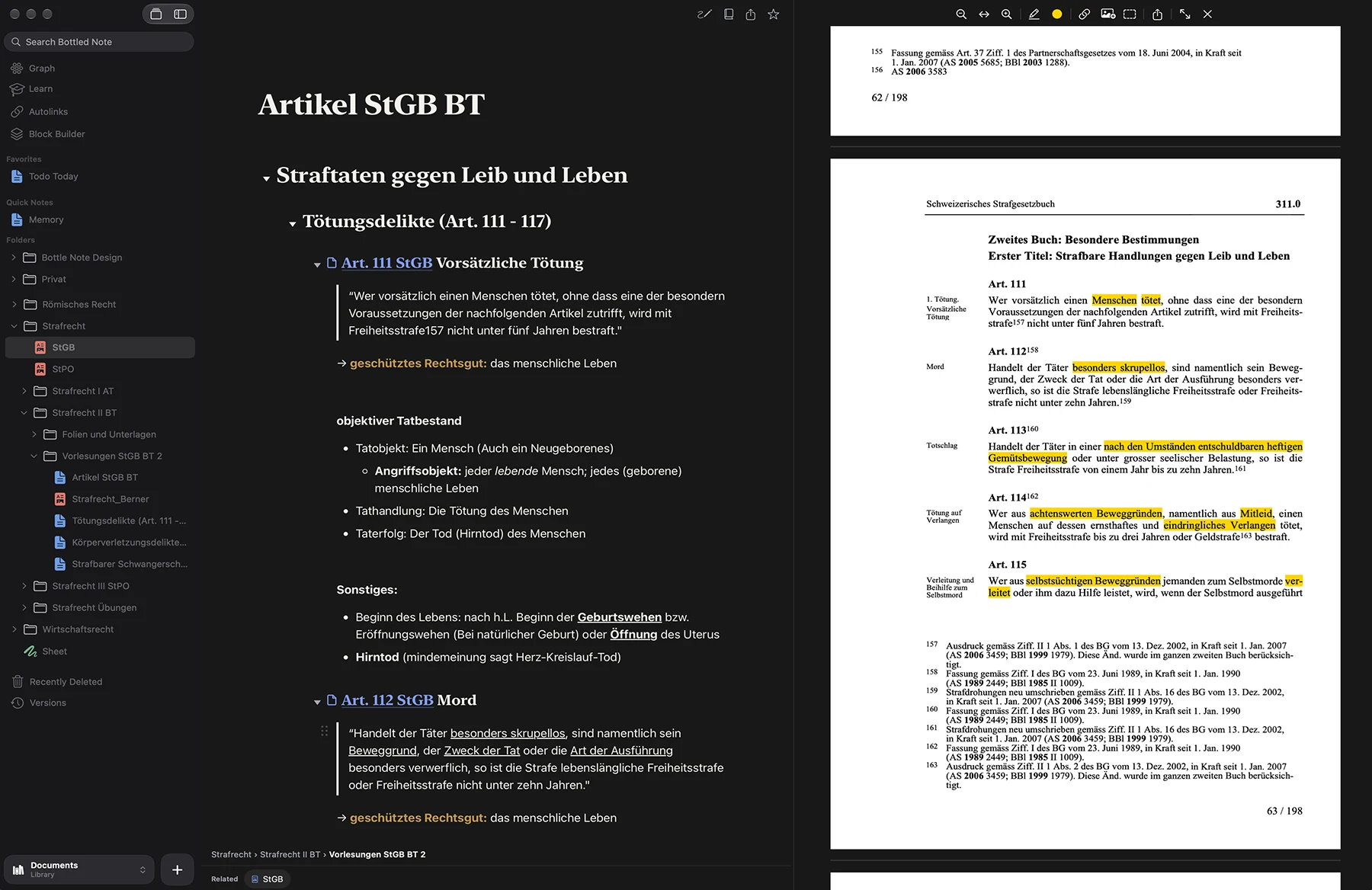
Slides, a contract or a paper open in split view. Insert whole PDF pages into your note, quote a passage with its page number, and let autolinks turn every “Art. 8” into a link.
The pro notes app for iPhone, iPad and Mac
Write, draw, sketch flowcharts, mark up PDFs, build tables and learn with flashcards, all in one beautifully made app. Private by design: every note is a file on your device, so you will always have it.
Free public beta on TestFlight. No account, no card.
Why Bottled Note
Private where it matters. Powerful where you work.
No account, no tracking, no ads. Nothing you write ever passes through a server of ours. With Advanced Data Protection, not even Apple can read it.
Every note is a plain file in a folder you choose. Open it in any app and back it up any way you like. If we stopped tomorrow, you would still have every word.
Start on the Mac, keep going on the iPad, look it up on the iPhone. Your own iCloud Drive keeps them in step, with nothing to sign up for.
Built on Apple’s own PencilKit, so the pen feels the way it should: no lag, pressure and tilt, your palm resting on the glass. Sketch beside your text or fill a whole sheet.
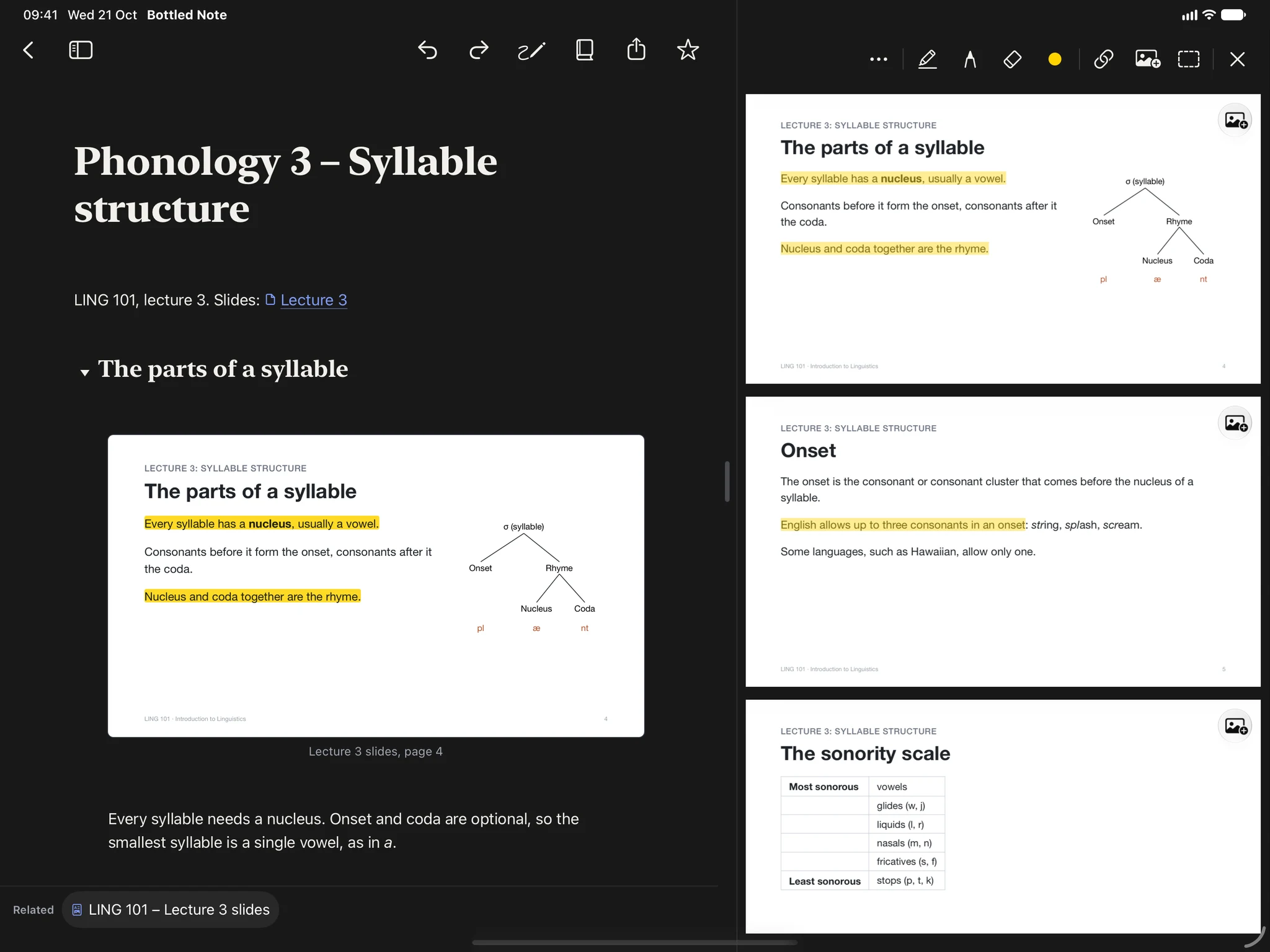
Open the slides next to your notes. Highlight, underline, cut out a passage and drop it into your note with its page number. Your original file is never changed.
Link a note to a note, to a PDF page or to a single word on it. References like “Art. 8” or “Lecture 3, slide 12” turn into links by themselves.
Who makes it
Hi, I’m Julius, a law student from Switzerland.
I tried every note-taking app on the market, but none of them gave me what I needed. I spent hours building tools, add-ons and templates just to get close to something I was happy with. When I talked to friends from my course, they told me the same thing. That’s why I built Bottled Note: a note-taking app that handles Markdown notes, PDFs and native Apple Pencil drawing, without compromising on ease of use or design.
Today almost every app is a subscription, built with as much friction as possible to keep you from leaving. As a customer myself, I decided against that. Bottled Note is a one-person project, with no investors and no crowdfunding, so I chose one fair price that you pay once and that lets me keep working on it.
I hope you will love Bottled Note as much as I do. Try it for yourself.
Julius, maker of Bottled Note
Write
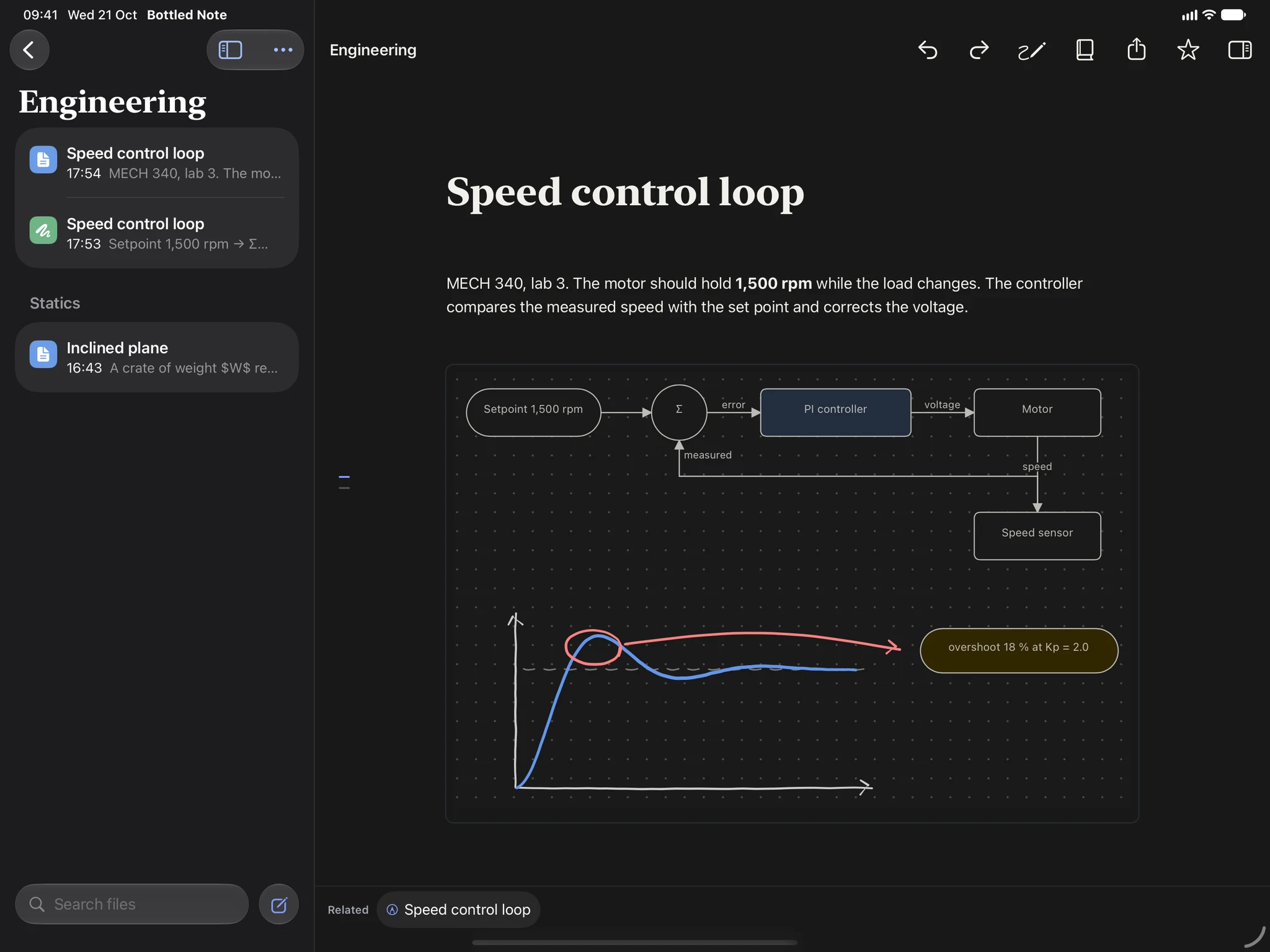
A note can stay a few lines. When it needs more, it takes tables, formulas, code, drawings, flashcards and pages from your PDFs, and it still looks clean.
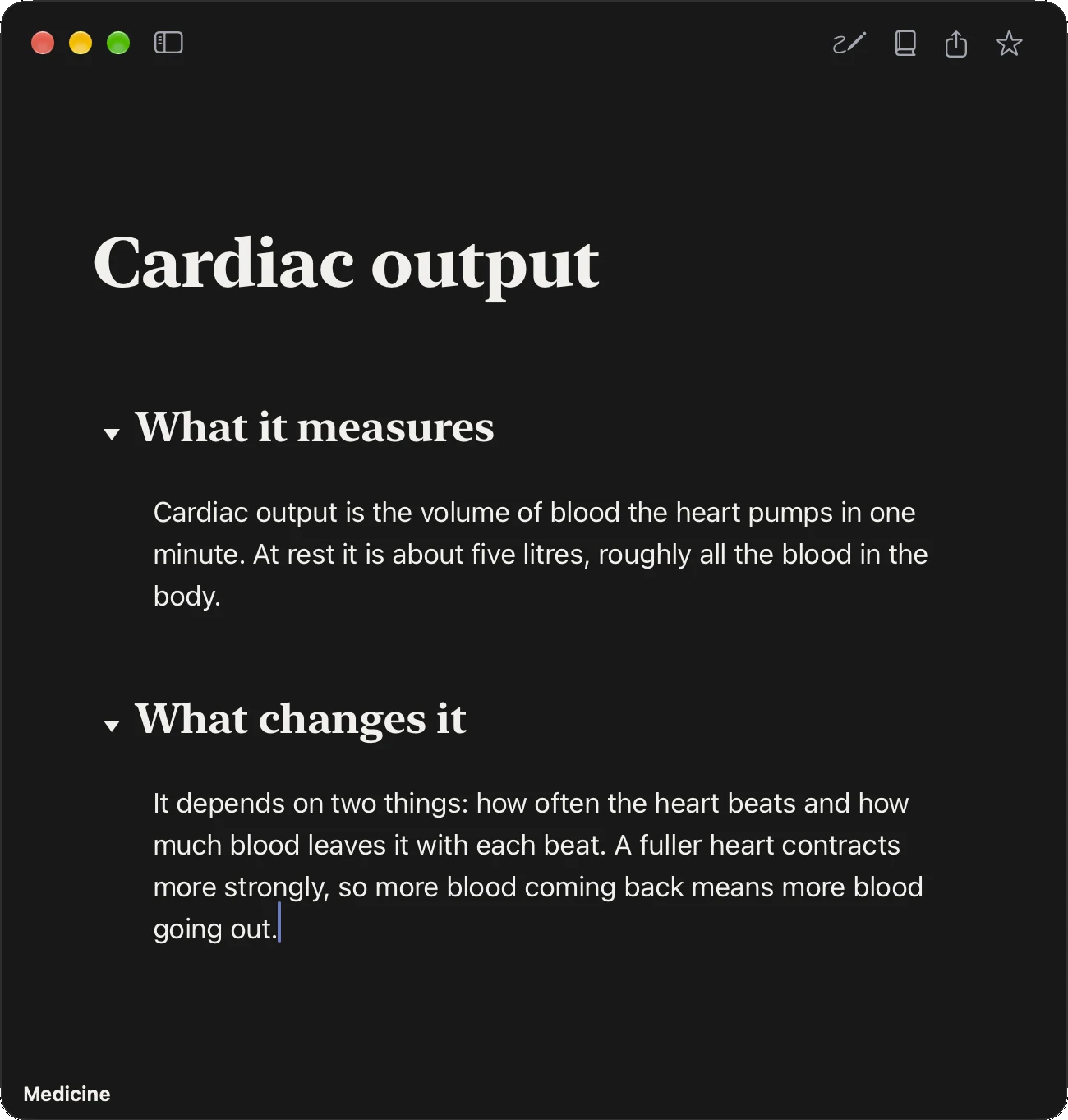
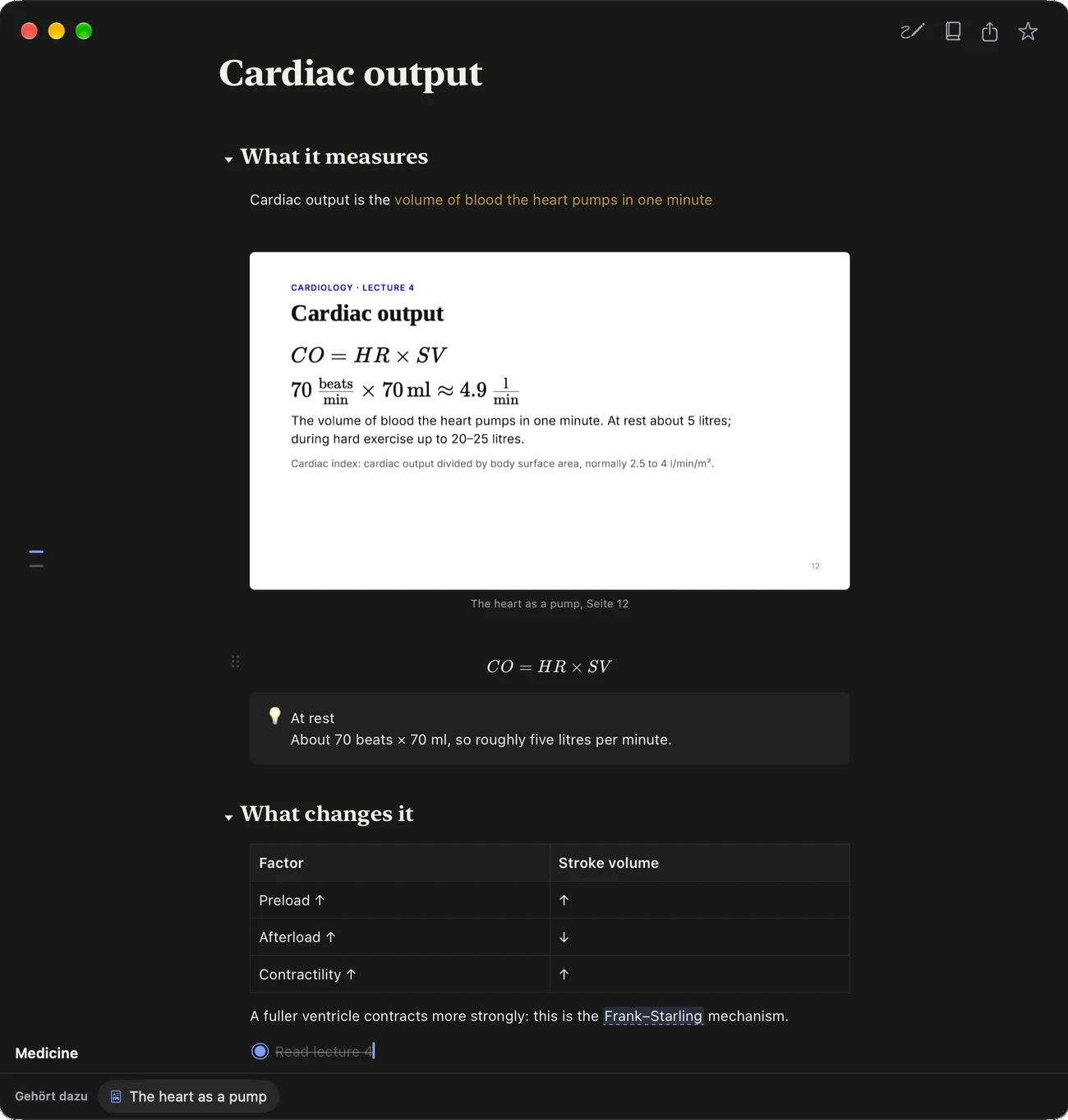
The same note, twice. Type / for any block; you never see Markdown.
/text Text/h1 – /h4 Headings that fold/bullet Bullet list/number Numbered list/todo To-do list/quote Quote/divider Divider/callout Callout/flashcard Flashcard/cloze Fill-in-the-blank/code Code in 30+ languages/formula Formula/inline formula Formula inside a sentence/table Table/drawing Drawing/sheet Sheet to draw and diagram/flowchart Flowchart/gallery Gallery of 2 to 5 pictures/link references Link every referenceFaster still: # for a heading, - for a list, 1. for numbers, and > for a quote. Pictures and PDFs go in by drag and drop.
One place
Notes, PDFs, drawings and the map of it all. Keep scrolling, and watch the same iPad change.
Read and write
Slides, a contract or a paper open in split view. Insert whole PDF pages into your note, quote a passage with its page number, and let autolinks turn every “Art. 8” into a link.
Sketch
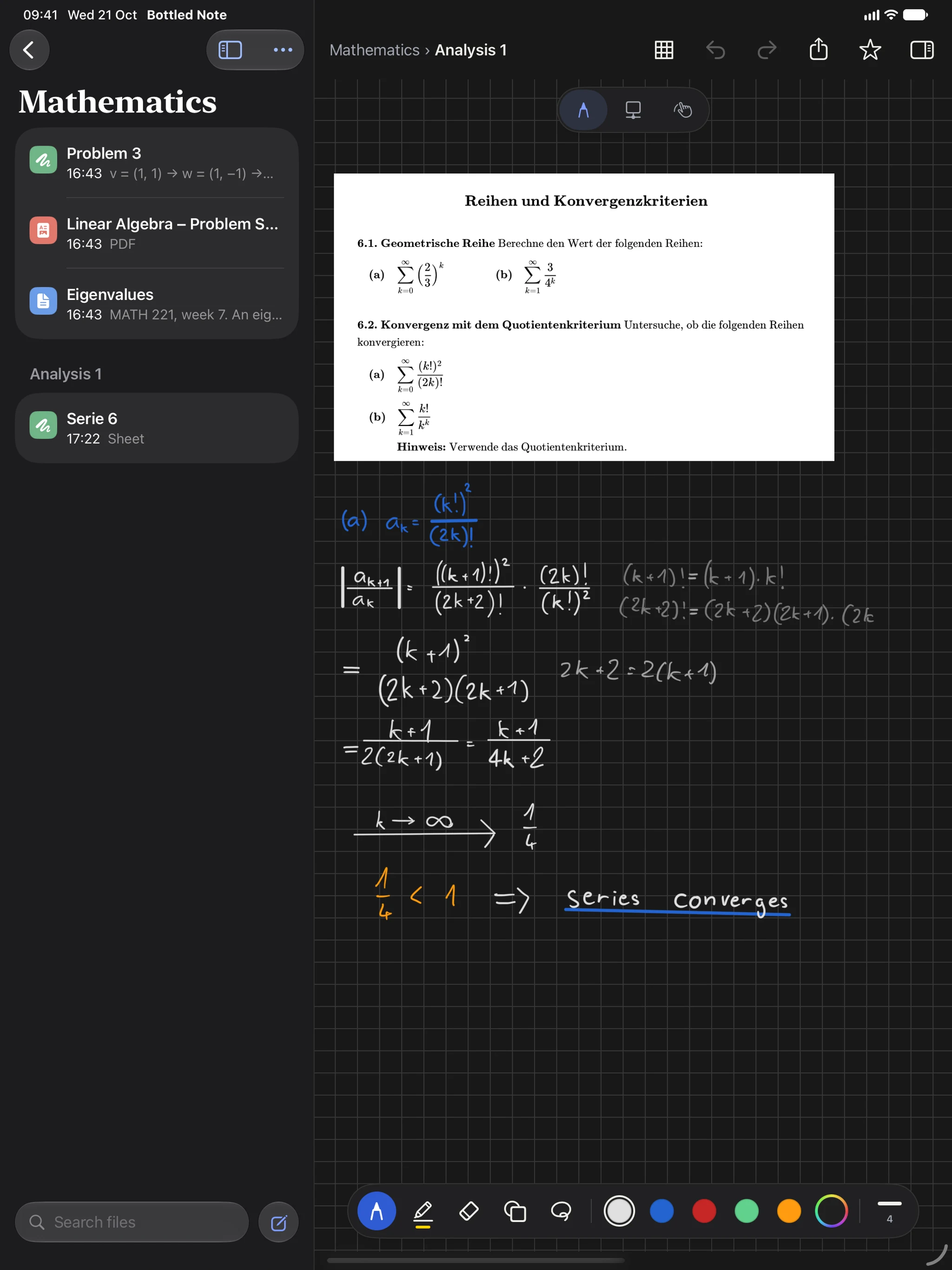
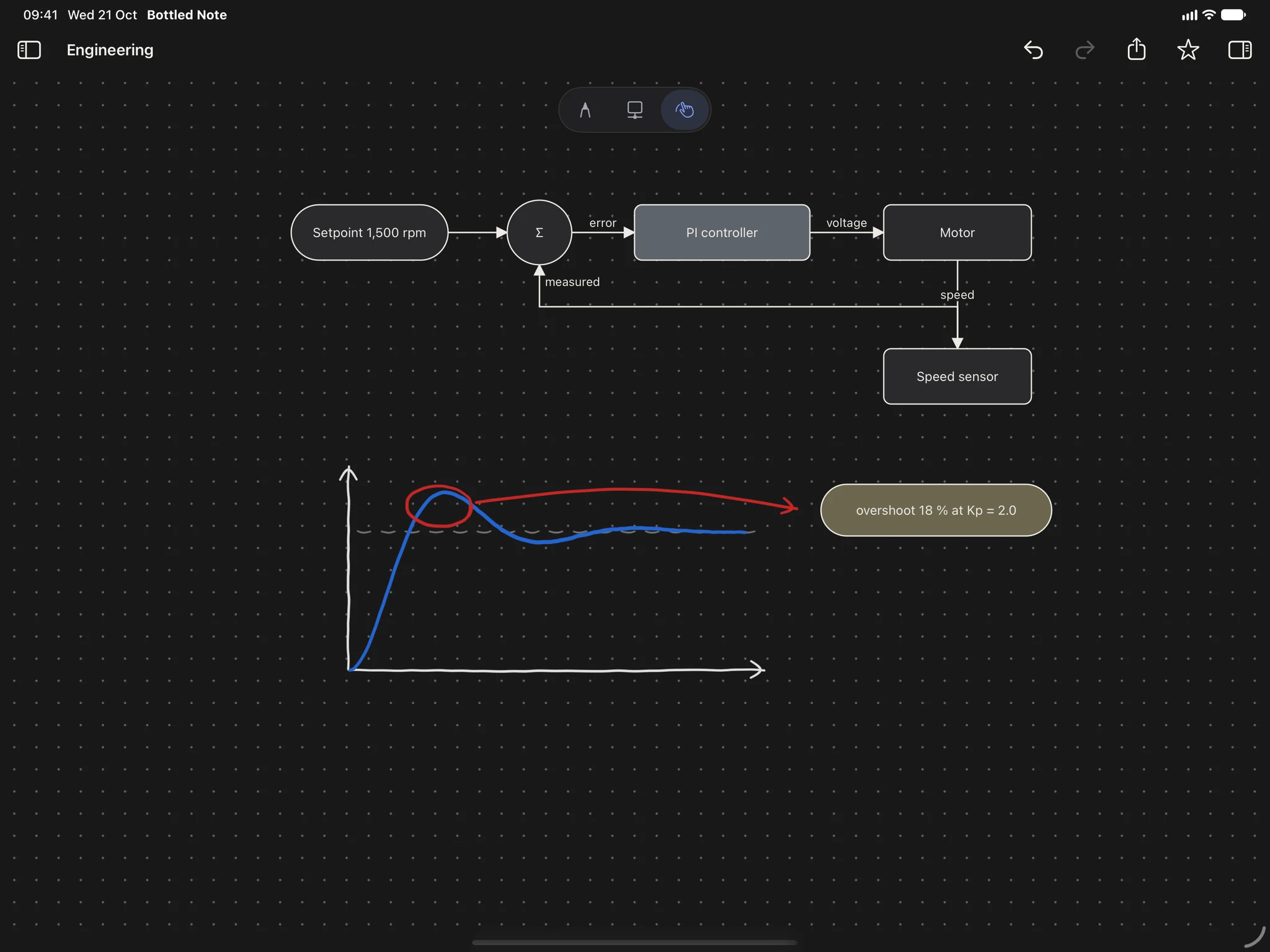
Full screen for Apple Pencil. Draw freely, then add clean shapes, boxes and arrows that stay connected. Flowcharts and sketches live on the same sheet.
Bring it back
The sheet you just drew sits in your note, between your text and your tables. Tap it and keep drawing.
Graph
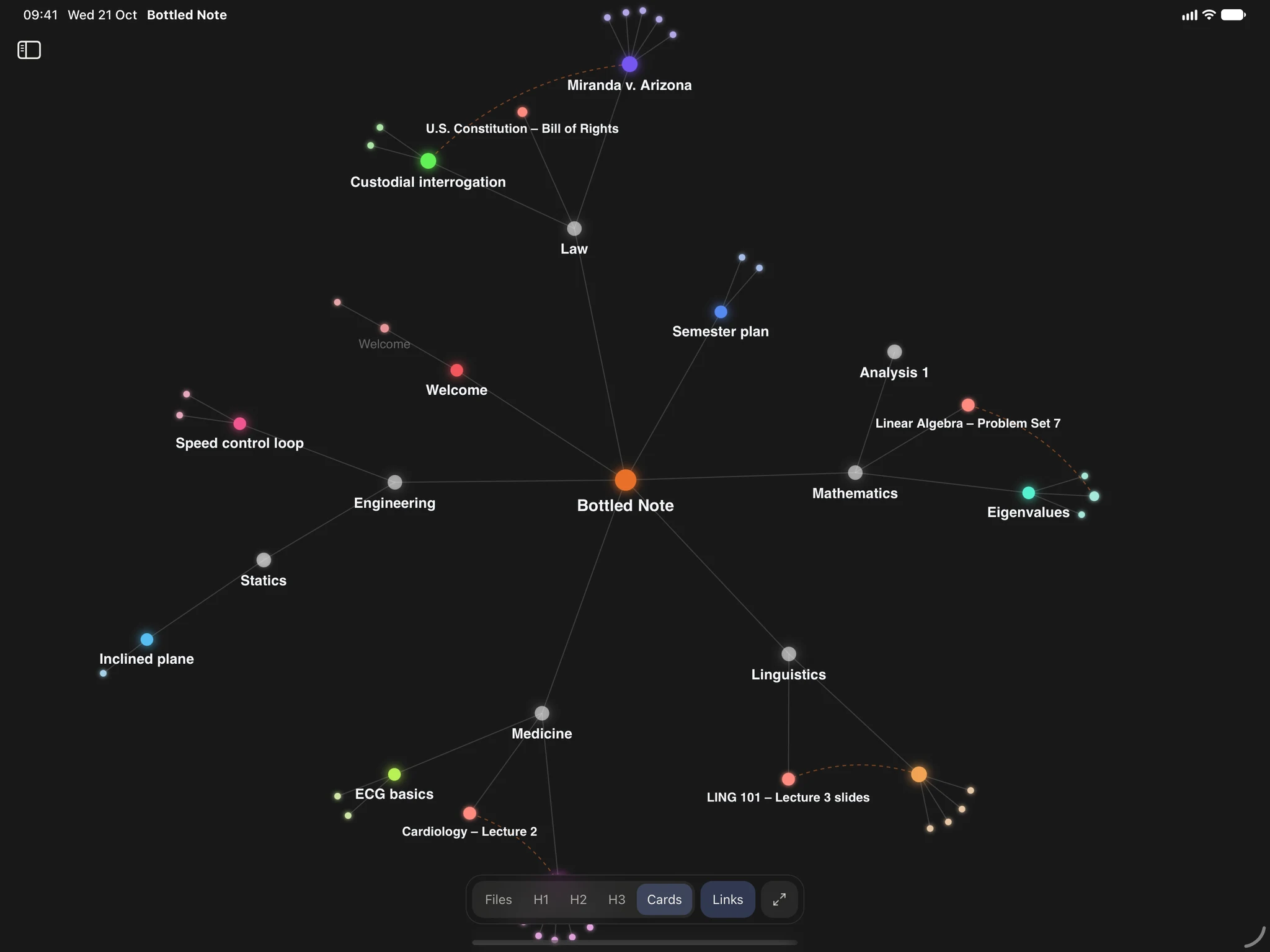
Folders, notes, PDFs and their headings as one map. Tap a dot and it opens right there.
Connect
Notes link to notes, notes link to pages, and references link themselves. The more you write, the more it holds together.
Every PDF knows which notes point to it.
Show it once how references look in your field. From then on they link themselves to the right page.
Folders, notes, PDFs and headings as one graph. Tap a dot to open it.
Learn
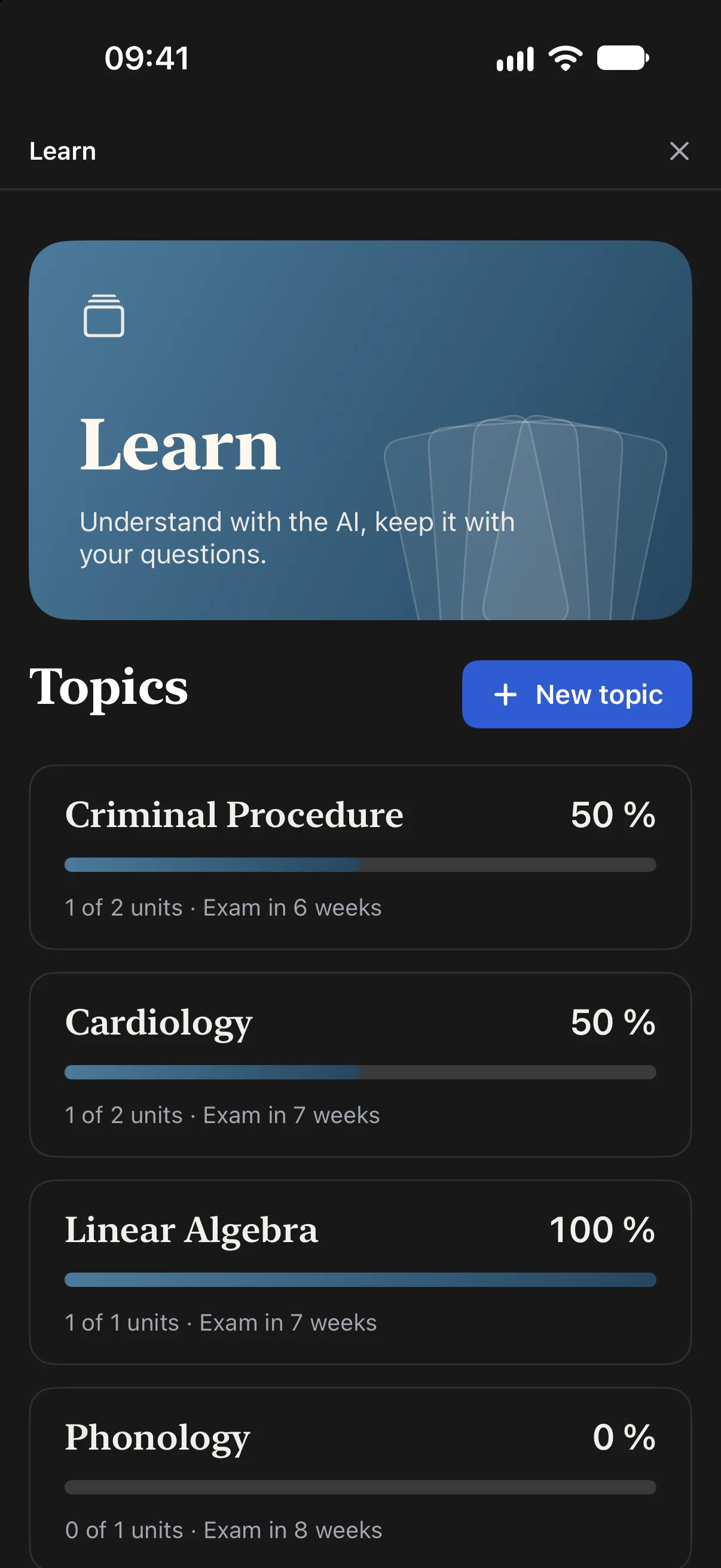
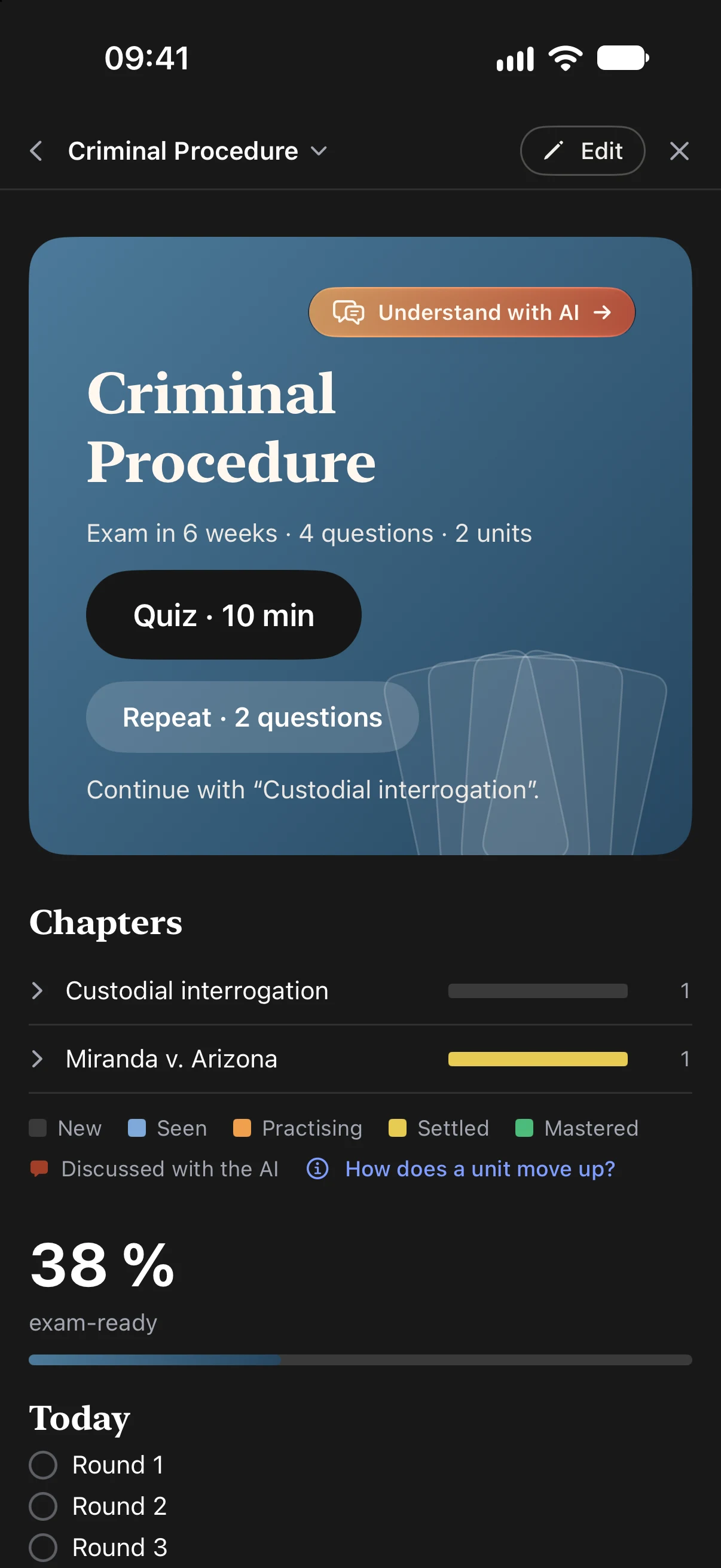
Questions come from what you wrote. First you understand it, then you remember it, at your pace, in rounds of ten minutes.
Ask about anything in the unit, as often as you like. Bottled Note explains, asks back and checks that you really got it, like a tutor who has read your notes. What you worked out becomes questions for Remember.
Bottled NoteIn this unit it’s about the cardiac cycle. Can you picture what makes a heart valve open?
The pressure behind it gets higher than in front?
Bottled NoteExactly. The valves are passive. Now, which valves close when the ventricles start to contract?
The AV valves. That’s the first heart sound.
What is the Frank–Starling mechanism?
A right answer moves a question up one stage, at most once a day. Mastered means right again and again, days apart.
Your AI, your choice
Bottled Note has no AI to sell you and no AI subscription. Learn without any, use Apple Intelligence on your device for free, or add your own key for Claude, ChatGPT or Gemini. You pay your provider directly, only for what you use, and you pick the model.
Your provider bills you at its own price. Switch whenever you like.
A quick one to practise, the strongest for the hard chapters.
They only go where you send them. Without AI, nothing leaves your device.
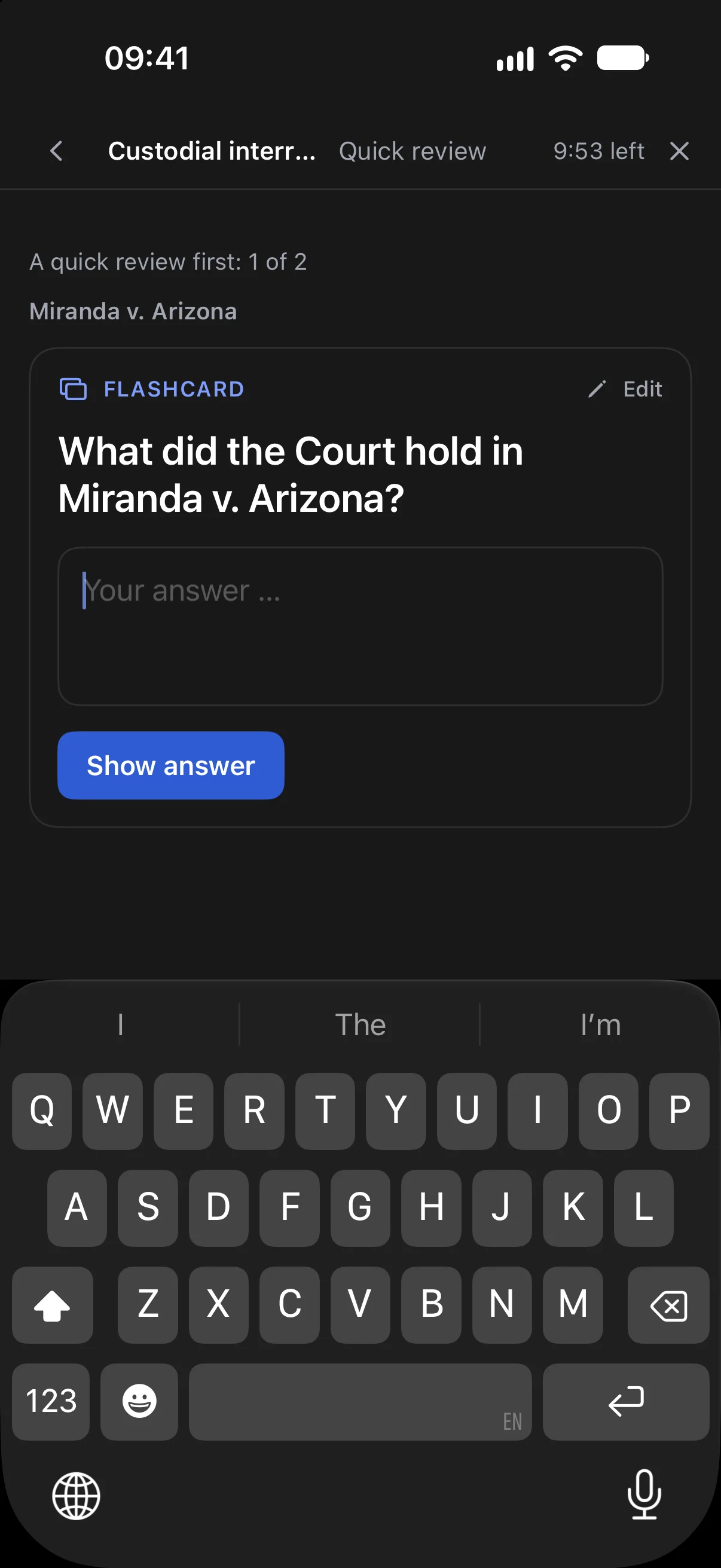
Write them yourself in a note, or let the AI make them from your notes in Understand. Either way they are saved as files, so Remember works without AI too. Try them: they work here as they do in the app.
A question, answered in your own words
A sentence with missing words
One answer is right
Several answers are right
Judge a statement
All parts of a list or scheme
Put steps in the right order
Connect terms and meanings
Sort items into groups
Every screen
Bottled Note picks its layout from the width of the screen, not from the device. That is why it is ready for the iPhone Duo.
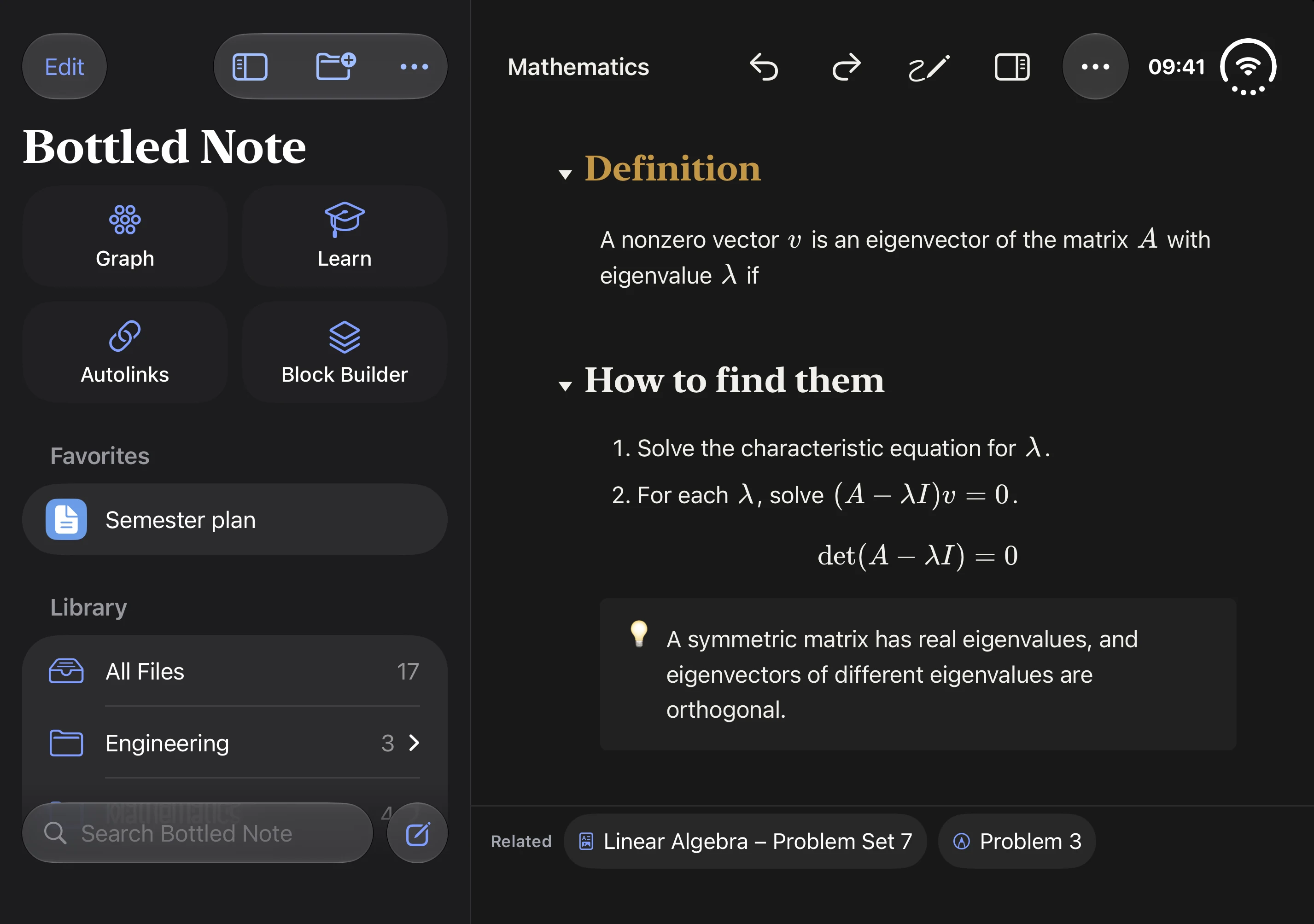
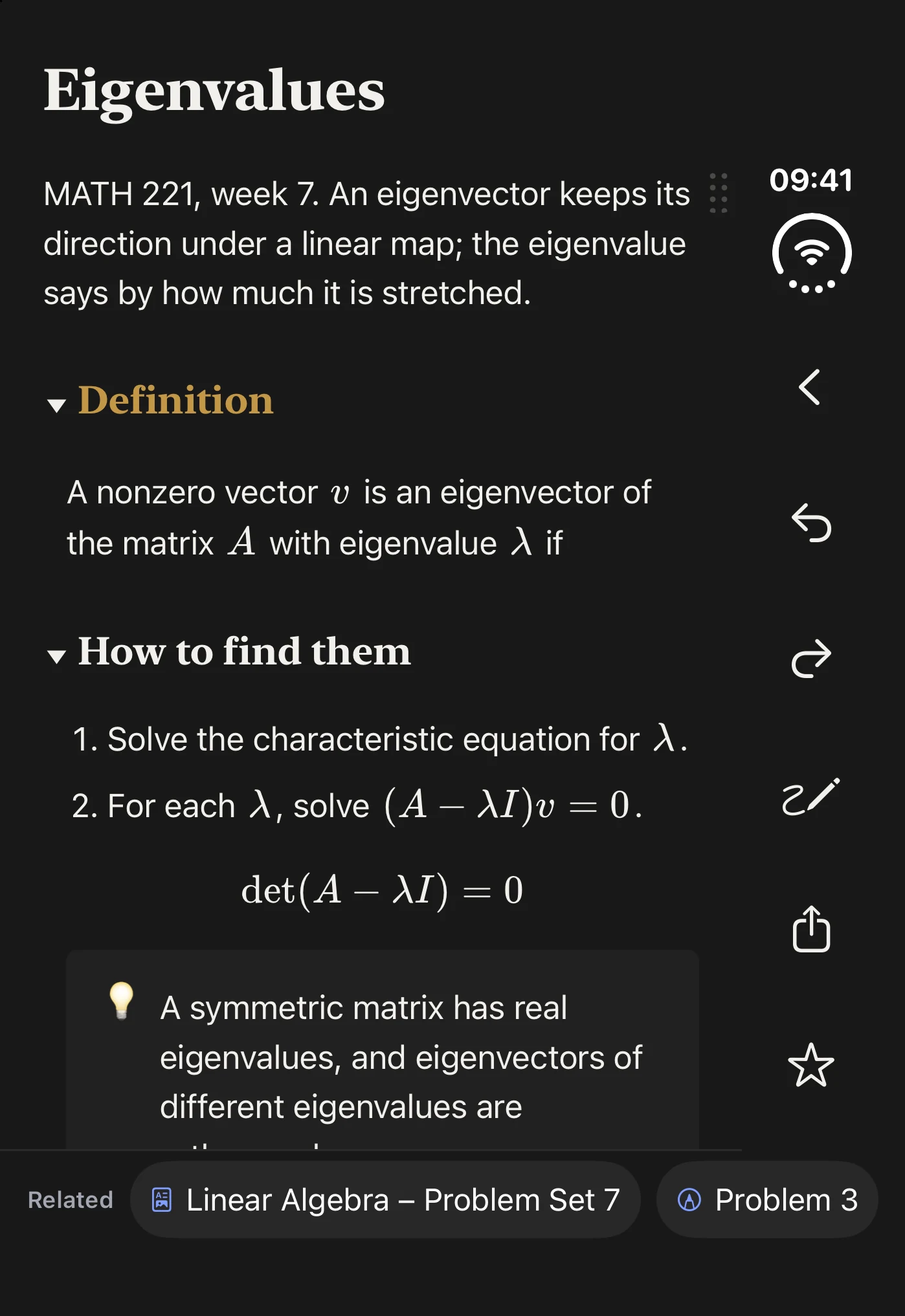
iPhone DuoClosed, it is a phone with the iPhone layout. Open it like a book and it becomes a wide page: your list beside the note, or a note as two real pages with the fold between them. You stay right where you were.
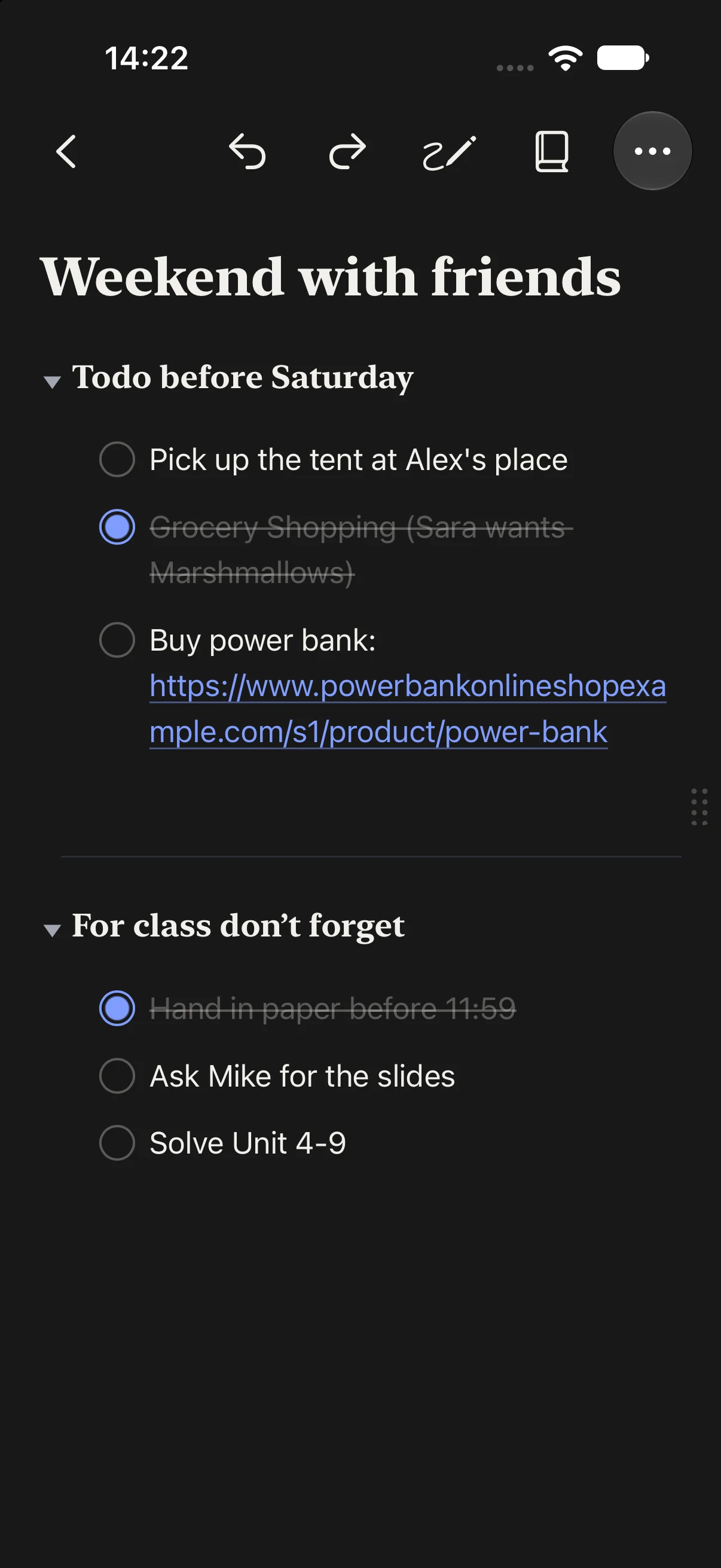
iPhoneOne thing at a time. Folders slide in, a swipe from the edge goes back, and the PDF comes up as a sheet.
iPadSidebar, note and PDF side by side. Apple Pencil on notes, sheets and PDFs.
MacTabs, two documents side by side, keyboard shortcuts for everything and a Format menu.
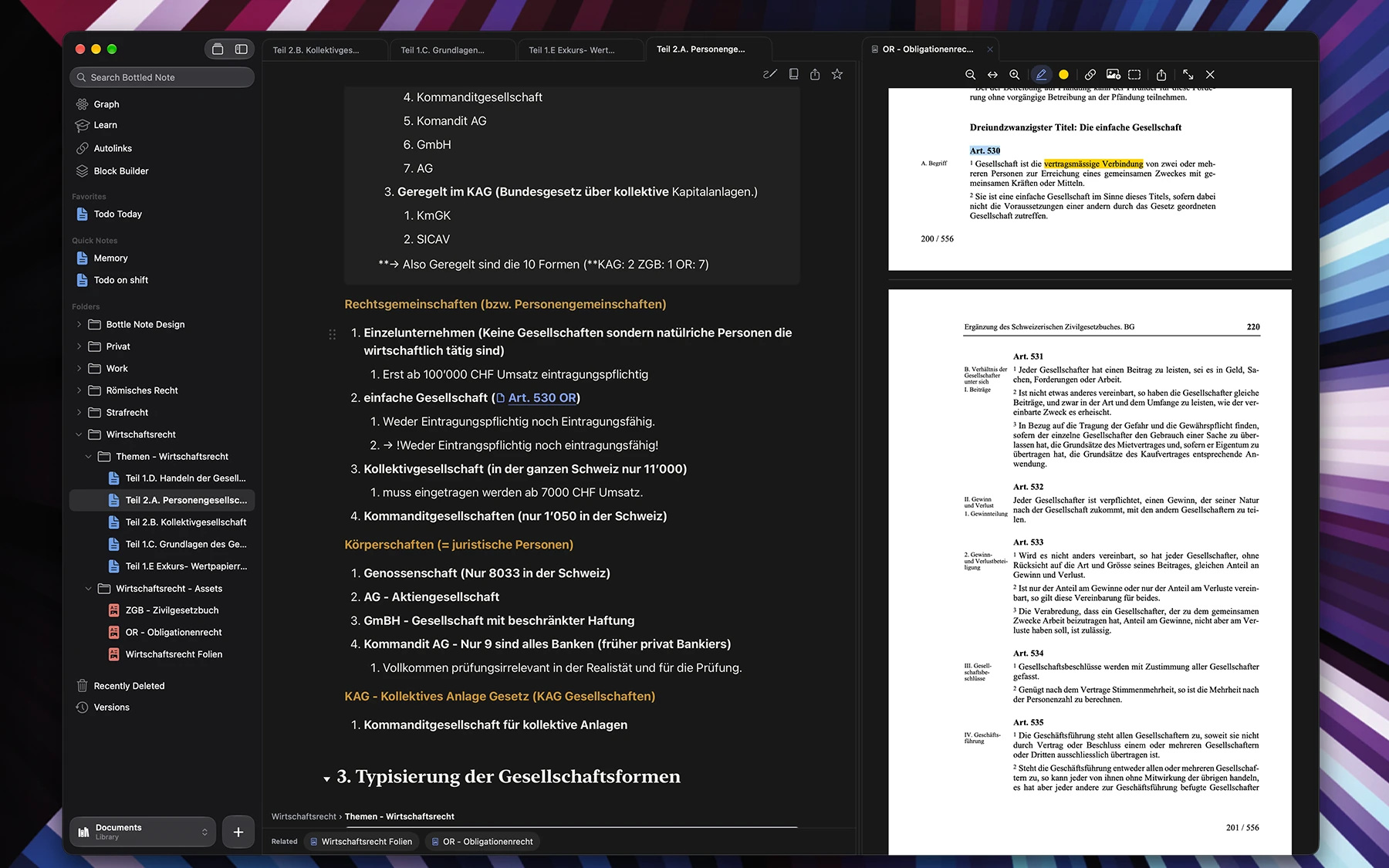
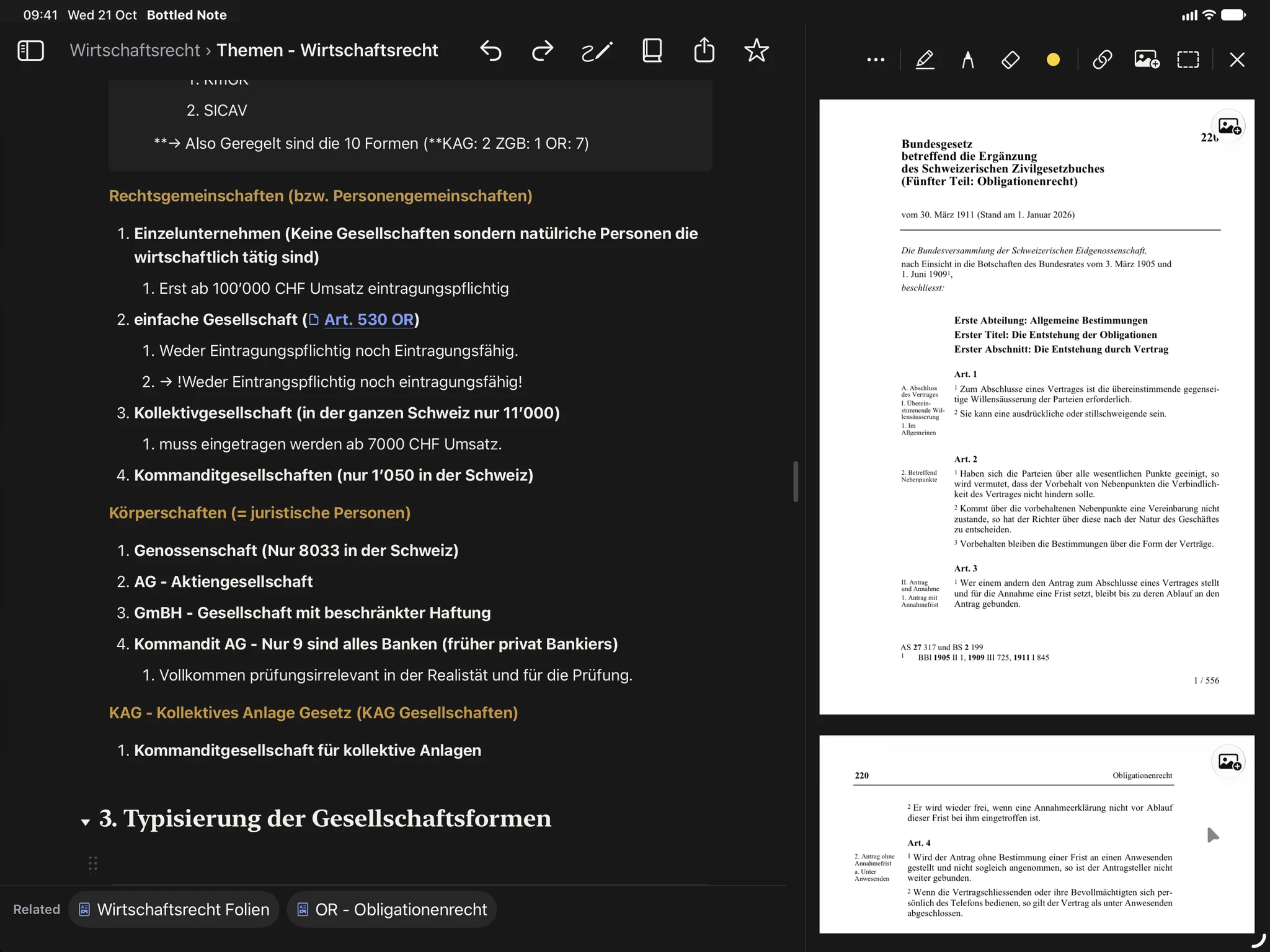
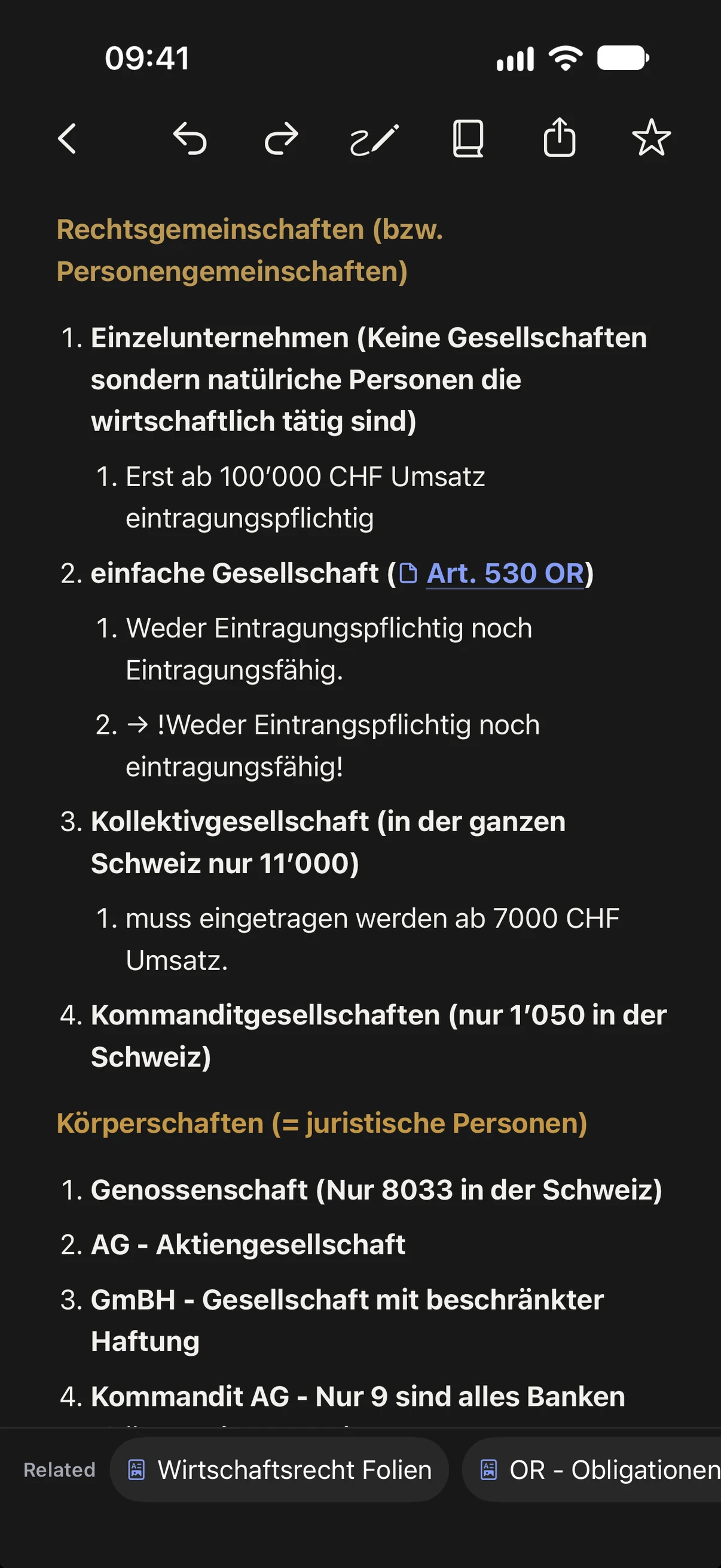
Your library lives in iCloud Drive, so every device shows the same files.
Made for you
Take notes in class. Learn from them before the exam.
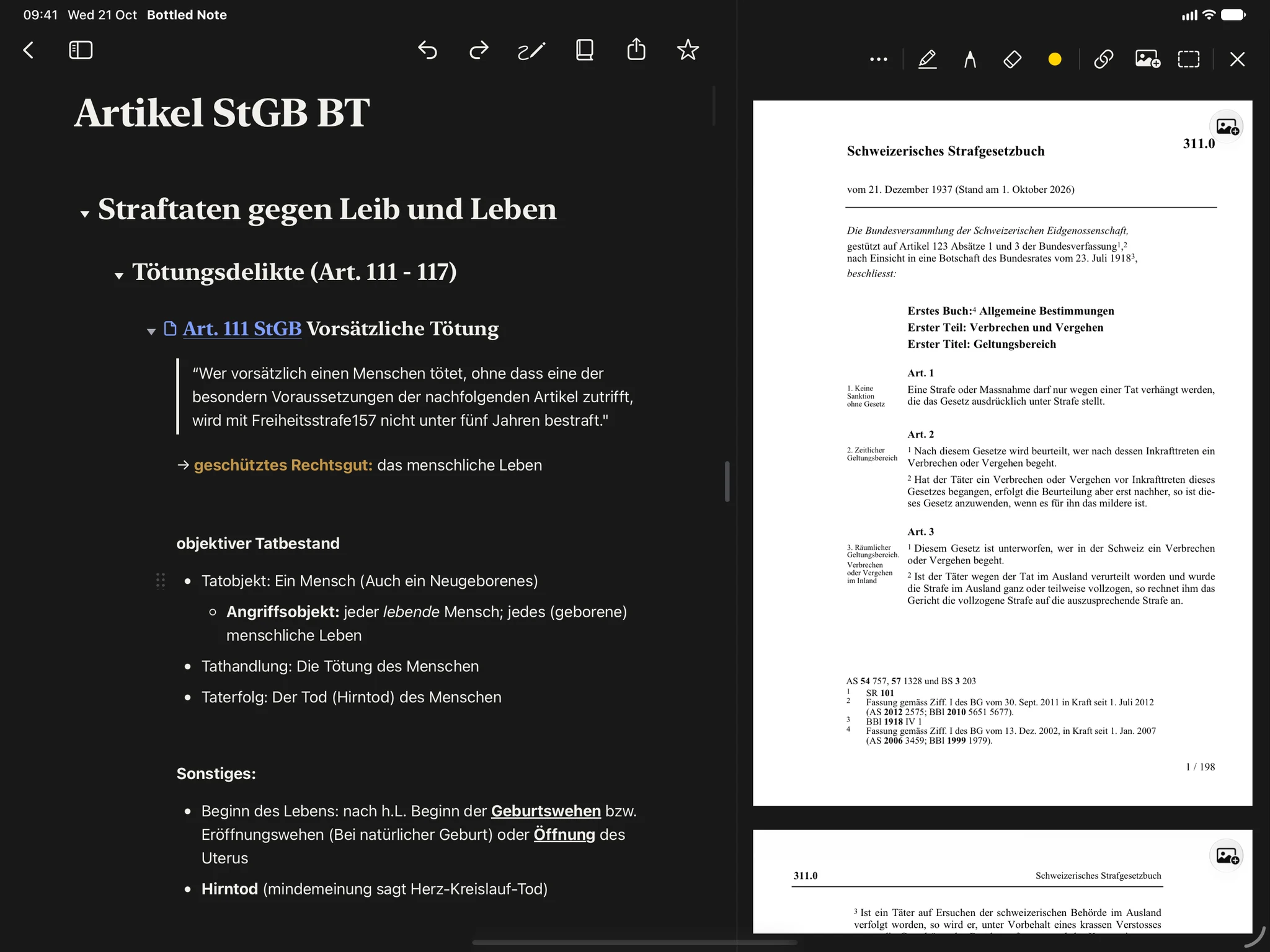
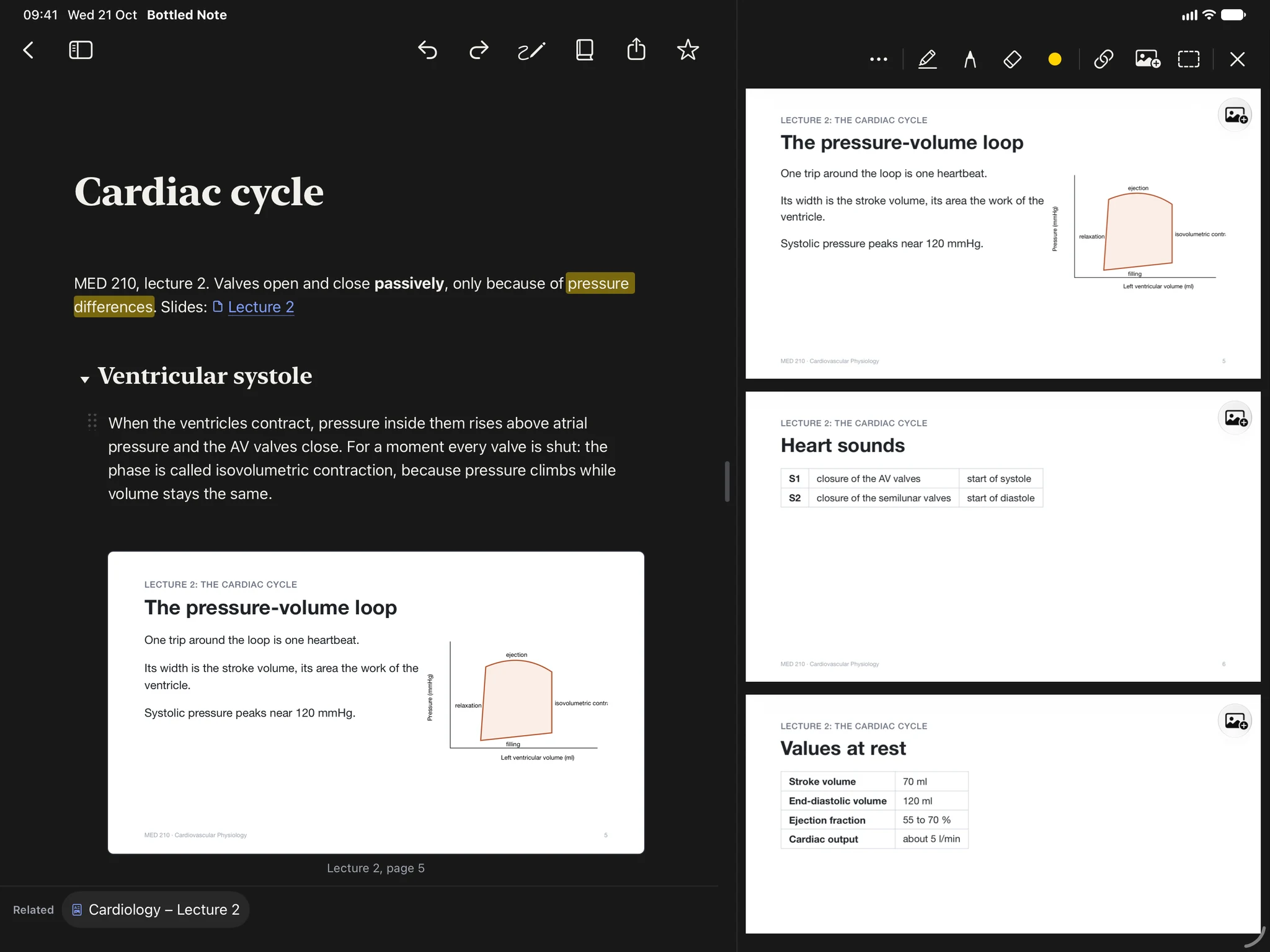
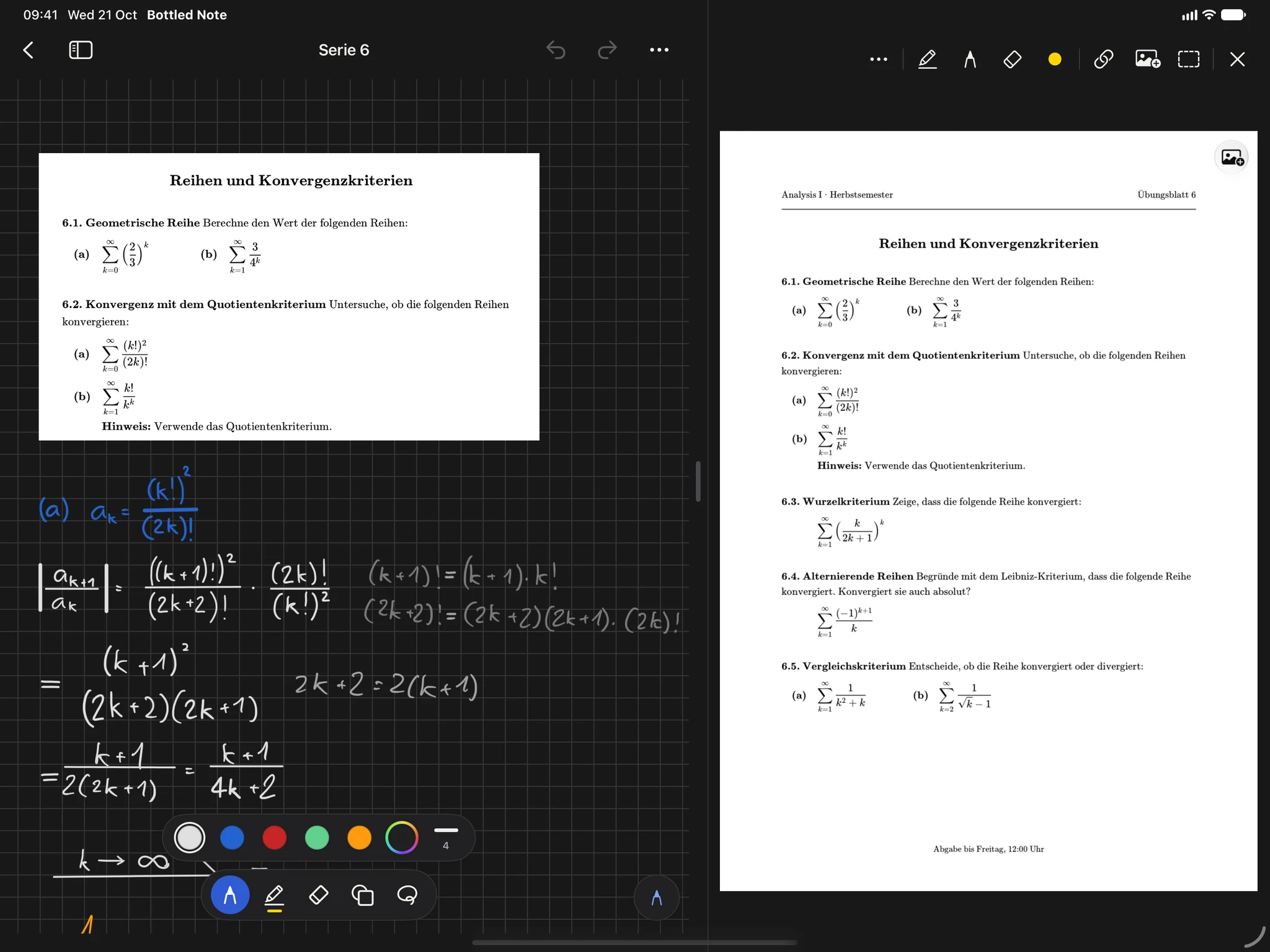
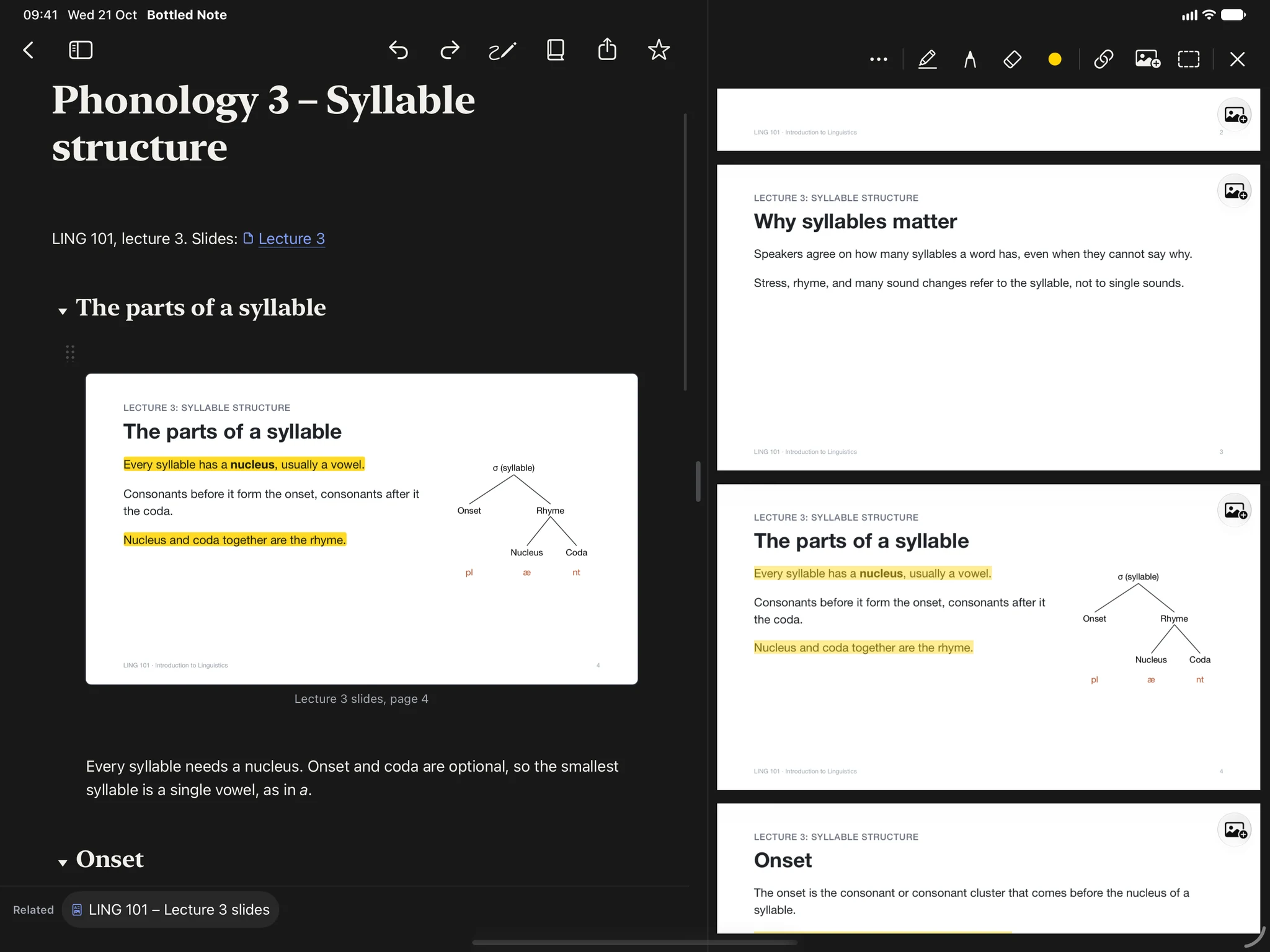
Statutes and slides beside your notes. Write “Art. 12 Abs. 2 StGB” or “OR 520”, and it links to the right article on its own.
Write flashcards and fill-in-the-blanks right into your lecture notes. Bottled Note asks them until you know every answer.
Cut a problem out of the PDF, drop it on a sheet and solve it by hand with Apple Pencil, right next to the theory.
Read the texts beside your notes and mark them up. Then write your essay in the same app and export it as a beautifully set PDF.
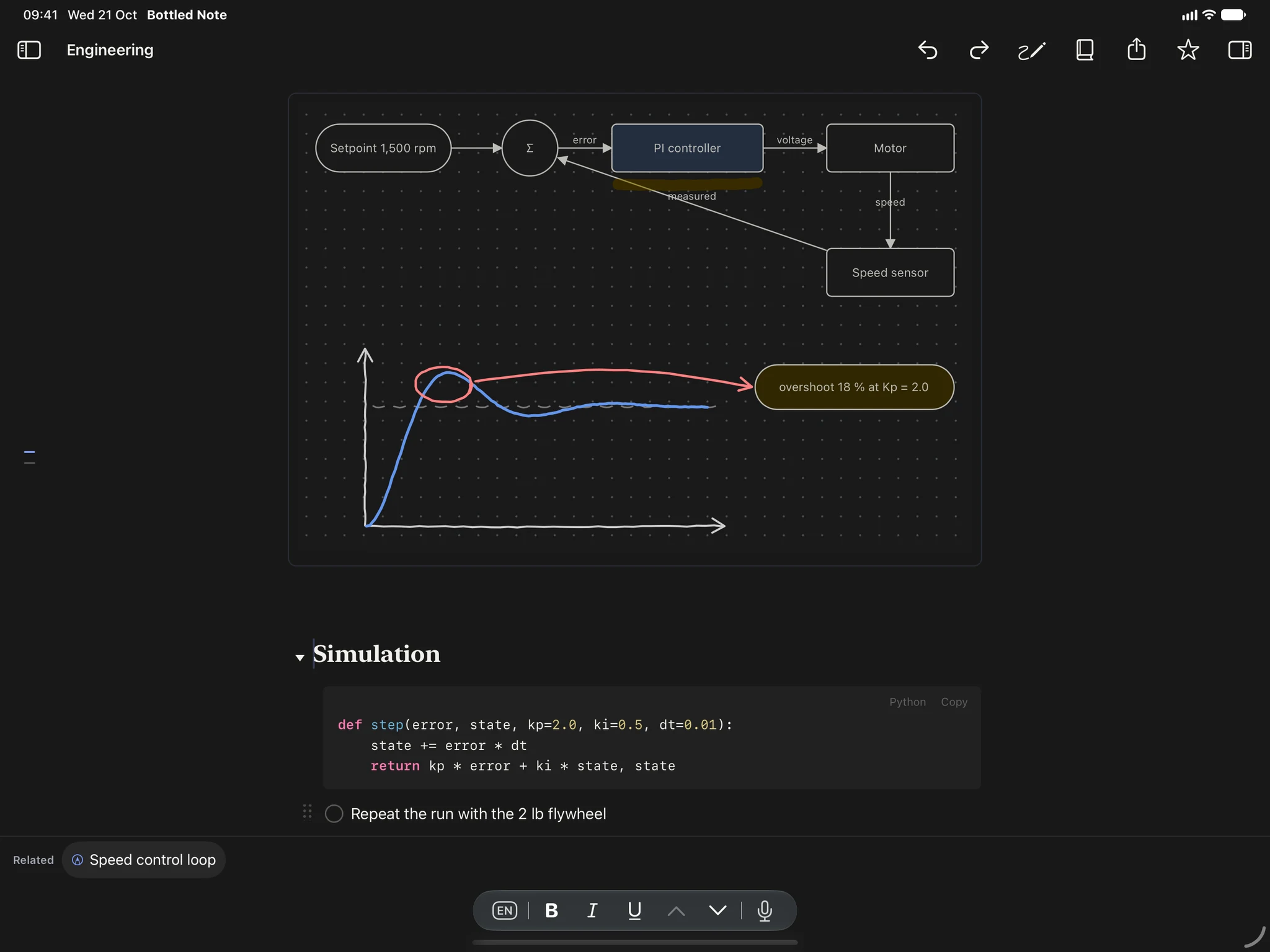
Flowcharts, code, LaTeX formulas and lab results in one note. Cut a figure or a whole page out of the lecture PDF and insert it with one click.
What people at work really use it for.
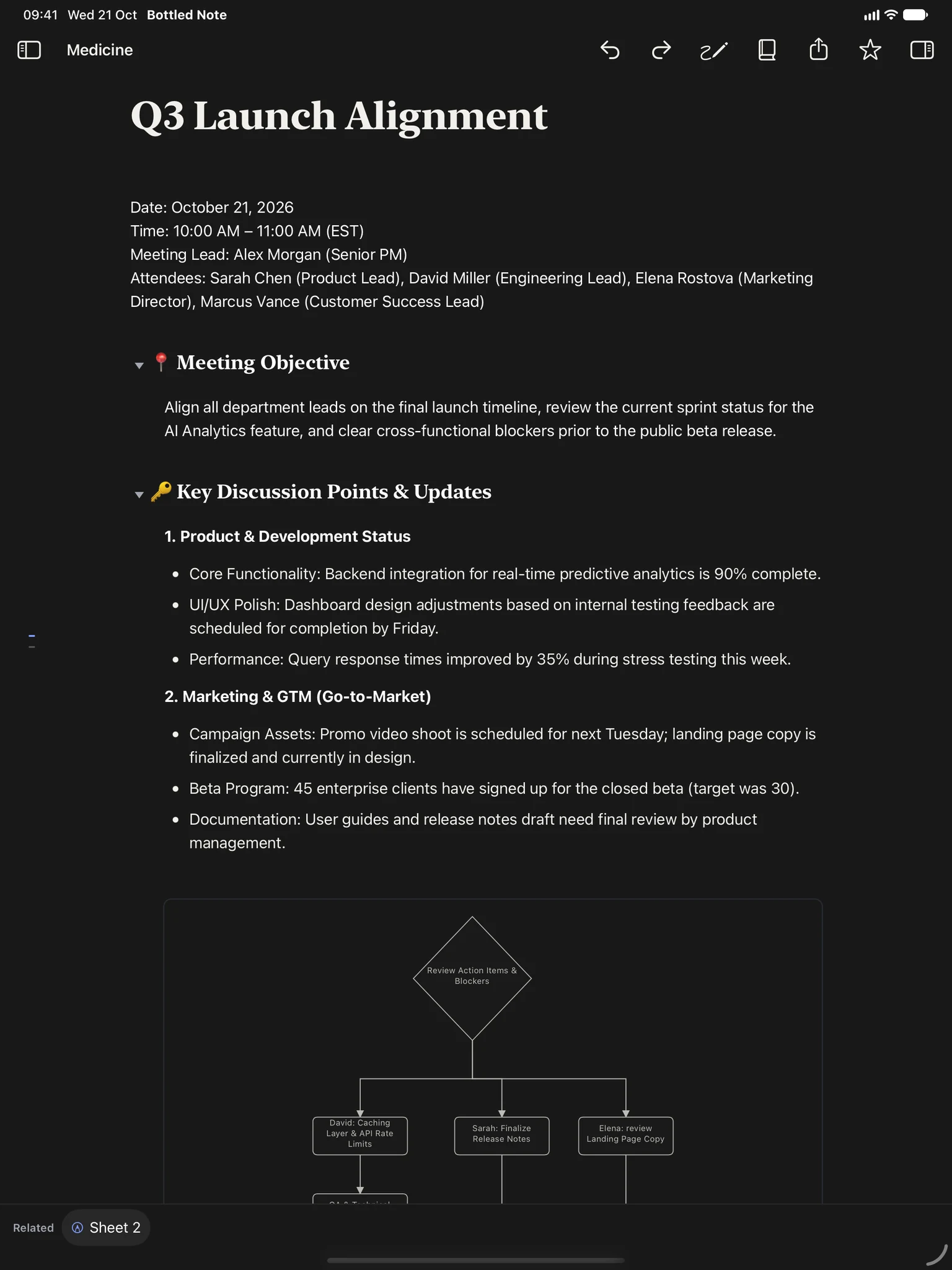
One note per meeting with decisions, to-dos and who does what. Search finds it again, in notes and in PDFs.
Map a workflow, an approval process or a team structure with boxes and arrows that stay connected.
Contracts, specs and reports open next to what you write. Highlight, cut out a passage and link straight to a page, a paragraph or a single word.
Set a rule once, and every “Project X, p. 9” or “Section 4.2” opens the right page.
Sketch a layout or a plan on the iPad, and find it on your Mac a moment later.
Import Word, PowerPoint, RTF and HTML. Export any note as a PDF, with a live preview of every page, set exactly the way you want.
No account, no tracking, no servers of ours. Your files stay in your folder and in your own iCloud.
Yours
Every note is a normal Markdown file you can open in the Finder or in any other app that reads the format. Nothing is locked in.
The app collects no data and shows no ads. iCloud keeps your devices in sync through your own Apple account.
Import Word, PowerPoint, RTF, text and HTML with headings, tables and images intact. Export any note as a PDF with a live preview.
Recently Deleted keeps every note for 30 days.
| Name | Kind | Size |
|---|---|---|
| Cardiac cycle.md | Markdown | 4 KB |
| Cardiology – Lecture 2.pdf | 2.1 MB | |
| Cardiac cycle.flowchart.svg | Flowchart | 12 KB |
| Wiggers diagram.zeichnung.svg | Drawing | 38 KB |
| Heart sounds.md | Markdown | 2 KB |
| ECG basics.md | Markdown | 6 KB |
| .bottlednote | Highlights and progress | -- |
Pricing
Because buying should mean owning.
Free during the beta · Planned prices for the launch
Every feature on every device from day one. No subscription, no card to start, and no notifications, not even to remind you to learn.
$0everything
Long enough to know if it is yours.
$49.99once
Yours for good. Pupils and students pay $39.99.
Two reminders, then we stay quiet. For good.
Planned prices for the App Store launch. During the beta, Bottled Note is free, and your 60 days only start with the App Store version. After you buy it, the app opens again right away. Your notes are plain files in your own folder, so they are always yours.
No. Bottled Note is not an AI app, and everything works without it. If you want AI, you choose the service: Apple Intelligence on your device, or your own key for Claude or another provider. Only what you ask about goes to that provider, and only when you ask.
Yes. Your notes are a plain folder of files. The manual in the Help menu shows how to give Claude or any other agent access to that folder, and comes with a skill that explains how Bottled Note stores notes, highlights and cards.
Almost never. We remind you once when your lower first-week price ends, and once a week before your 60 days are over. That is all, not even reminders to learn.
You pay once and keep the version you bought for as long as you like, with no subscription. As long as I keep developing Bottled Note, updates come free. I cannot promise there will be updates forever, though. If the app is ever no longer developed, your version keeps working for as long as your system supports it, and your notes stay plain files in your folder.
Yes. Your library is a normal folder of Markdown files, so both apps can open it. Highlights, drawings and learning progress live in their own files next to your notes.
Not yet. Right now Bottled Note is in a public beta: you install it free with TestFlight, Apple’s app for testing new apps. A beta can still have bugs, so keep a backup of notes that matter. Your notes are plain files, so they stay yours when the App Store version comes.
Yes. Everything is on your device. iCloud syncs when you are online again.
Not yet. Bottled Note is made for iPhone, iPad and Mac first.
Apple’s foldable iPhone. It opens like a book from a 5.4-inch outer screen to a 7.6-inch inner one. Bottled Note uses the iPhone layout when it is closed and a two-sided layout when it is open, and keeps your place when you switch.
 Public beta
Bottled Note is not in the App Store yet. You can test it today with TestFlight, Apple’s app for beta versions, on iPhone, iPad and Mac.
A beta can still have bugs, so keep a backup of notes that matter. Send feedback right from TestFlight, I read every message.